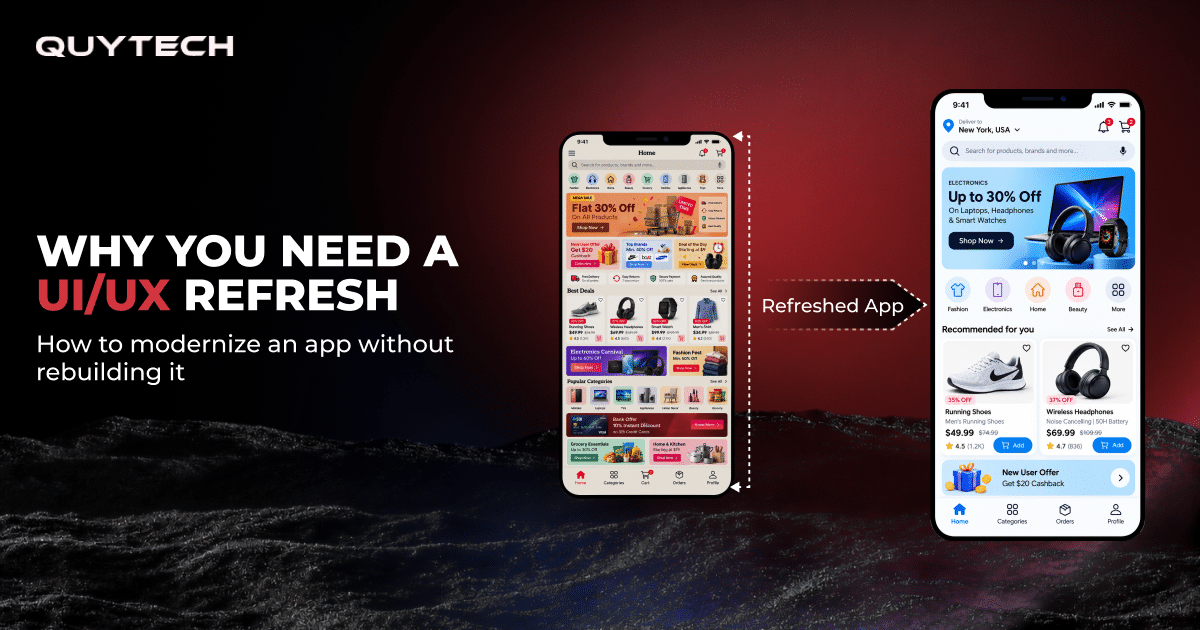
Summary:
A UI/UX refresh refers to the modernization of the look and feel, user journey, and navigation of an app without rebuilding its entire core architecture. It is a faster and more cost-effective alternative to a rebuild for apps that have a cluttered UI, outdated visuals, and declining engagement. Beyond basic modernization, a UI/UX refresh also allows businesses to add AI features like personalization and smart search to their existing apps to improve user retention and boost conversions without redeveloping the app from scratch.
Your app works perfectly. The features perform exactly as they were supposed to, the backend is stable, and your team has spent years building it. But somewhere along the way, things started slipping. Sign-ups have slowed down, users are dropping off halfway, and competitors are winning customers with products that don’t do half of what yours does. Sounds familiar, doesn’t it?
Well, the problem usually isn’t what your app does. It’s how it feels to use.
According to Amplitude’s 2025 research, around 58% of consumers are likely to abandon a brand entirely after a bad experience with its app. As impactful as the number is, it reflects that users do not give second chances. An application that’s outdated, cluttered, and complex to handle simple tasks often results in users judging the product based on the experience of using it.
When it comes to how to modernize an old app, it might seem like the only fix is starting over, but it rarely is. Sometimes a small interface change makes the biggest difference, as Microsoft discovered with Bing.
Back in 2012, a Bing employee suggested a small change to how ad headlines appeared on search results. It was marked low priority and kept in the backlog for six months, but when they finally tested it, the results were something nobody would’ve thought possible with such a small change. Bing’s revenue rose 12% and earned over $100 million in the US alone in a year.
This is the power of a UI/UX refresh. Instead of spending a whopping budget on rebuilding an app from scratch, a UI/UX refresh gives an outdated app the makeover it needs while keeping the entire foundation. And with AI making smarter features easier to add, a refresh can do more today than ever before.
In this blog, we’ll cover the signs your app needs a refresh, how to decide on app redesign vs. rebuild, and a step-by-step playbook to modernize your app without rebuilding it.
5 Signs It’s Time to Refresh Your App’s UI/UX
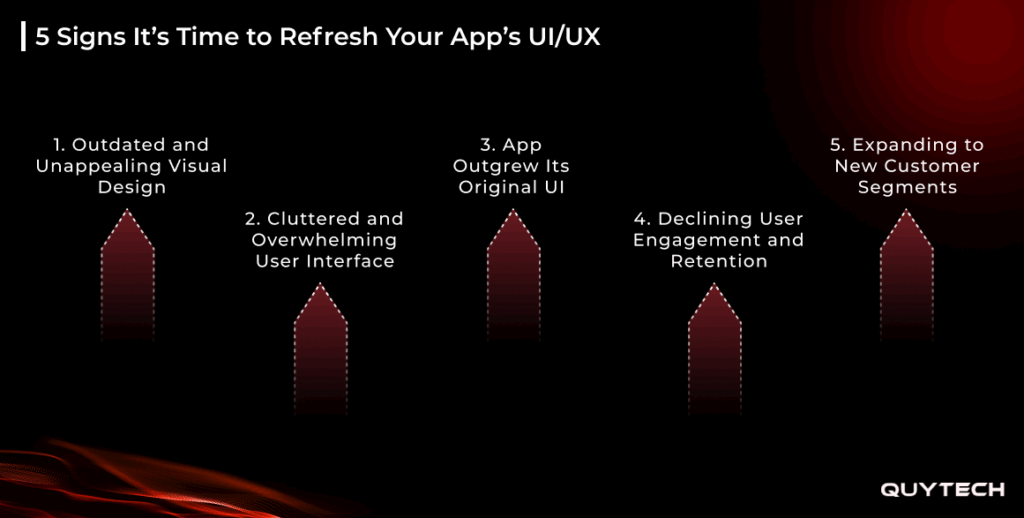
PwC’s 2025 Customer Experience Survey highlights that 70% of executives believe that customer expectations are moving faster than their organization can adapt. And to keep up with these ever-changing expectations, organizations need an app experience that evolves with their users. Here are some signs your app needs a redesign that will help you know whether it’s keeping pace or quietly falling behind:
1. Outdated and Unappealing Visual Design
One of the clearest signs your app needs a refresh is an outdated, unappealing visual design. As is obvious, design is the first thing a user notices, and if that itself contains old fonts, dull colors, and dated layouts, users are likely to feel enraged by it. This, along with a competitor offering a visually appealing app, makes switching an easy choice for the user as well.
2. Cluttered and Overwhelming User Interface
Another such factor that points towards a UI/UX refresh is a cluttered and overwhelming user interface. An application filled with crowded screens, too many buttons, and menus buried inside menus gives users a hard time executing even the simplest tasks. Navigation through these menus and features feels like a stress, justifying the fact that 69% of users abandon an app if they find it difficult to use.
3. App Outgrew Its Original UI
An app outgrowing its original UI is another of the signs your app needs a redesign. It usually happens when an app that’s built around one core feature initially starts stacking multiple features into the same interface layout for product growth. This makes navigation a nightmare as key features get buried and the app becomes more complex to use.
4. Declining User Engagement and Retention
When new sign-ups start declining, and users start abandoning tasks halfway, the cause behind this is often that the app does not work properly and the experience is failing to deliver what it’s supposed to. 35% of users abandon an app if it doesn’t work properly. Users who actually stay past a bad experience often contact support instead, naturally increasing tickets and highlighting one of the key signs your app needs a redesign.
5. Expanding to New Customer Segments
As an application scales, its user base also diversifies. This means new users often come from a segment that wasn’t the target audience when the user journey was initially defined. Now, to cater to the new audience signing up, the application needs to be refreshed in a way so that the users do not find it confusing and out of place. This naturally requires a UI/UX refresh to establish clear onboarding and more flexible layouts to suit every audience you cater to.

What Outdated UX Is Really Costing Your Business
Outdated UI/UX costs your business customers, revenue, team productivity, and brand credibility. And as these losses occur gradually, they often go overlooked until they show up in numbers. Here’s a closer look at how each one affects your business:
Losing Customers to Competitors
The quickest cost your business takes when your app fails to retain customers is when they choose your competitors over you. As PwC’s 2025 Customer Experience Survey says, 52% of consumers stop using or buying from a brand after a bad experience. For startups, this means losing early adopters, and for enterprises, it proves to be a steady loss of revenue to competitors.
Higher Customer Acquisition Costs
The next blow that an outdated UX brings to your business is higher customer acquisition costs. Every user who leaves takes your acquisition investment with them. And as this churn increases, the first default step organizations take is increasing the marketing budget to maintain the user base they earlier had. This naturally drives up the cost of growth without actually bringing much impact.
Drained Team Productivity and Resources
When an app has a confusing and outdated interface, it generates a steady flow of support tickets even for the most basic tasks. And as the number of support tickets increases, team effort in resolving them also multiplies. Over time, this creates a cycle that drains not just the team’s productivity but also the resources, as it diverts both from actual growth initiatives towards resolving queries.
Lasting Damage to Brand Reputation
When a user interacts with an app and feels that the experience is not keeping up with the market standards, they form a negative impression of not just the app but also of the brand it represents. In a competitive market, this perception often becomes difficult to reverse, causing lasting damage to a brand’s reputation.
Handpicked For You: Agentic AI in Product Engineering: Guide for Business Leaders
App Redesign vs. Rebuild: Making the Right Call
Once you know that your app needs attention, the next step is to determine how far you need to go. This usually goes two ways: either a UI/UX refresh, which includes improving the experience of users, or a UI/UX rebuild, which replaces the process from the ground up. But in app redesign vs. rebuild, how do you know which one your app needs? Worry not, because we’ve got you covered! Here’s how to tell them apart and decide what your app actually needs:
What a UI/UX Refresh Actually Means
A UI/UX refresh is the process where you enhance the user experience layer of your app instead of replacing the technology underneath. UI/UX generally includes updating the visual design, simplifying navigation, restructuring user flows, improving onboarding, and ensuring consistency across screens.
Along with this, a UI/UX refresh can also include the integration of intelligent capabilities like artificial intelligence for personalization and smart search, without having to rebuild the application from scratch.
As explained above, it does not disturb the technology underneath, so your backend, core architecture, data, and business logic remain untouched. Hence, not only does a UI/UX refresh enhance user experience, but it also does so while avoiding the cost, risk, and disruptions that starting over brings.
UI/UX Redesign vs. Rebuild at a Glance
Here’s a quick table that will walk you through the core differences between an app redesign vs. rebuild:
| Aspect | UI/UX Refresh | Full Rebuild |
| Scope | Design, user flows, and front-end experience | Entire product, including backend and architecture |
| Timeline | Weeks to a few months | Several months to over a year |
| Cost | Moderate, focused investment | High, long-term investment |
| Business Risk | Low, with phased rollouts possible | High, with more room for delays and bugs |
| User Disruption | Minimal, changes can be introduced gradually | Significant, users must adapt to a new product |
| Time to Results | Quick, visible improvements | Delayed until the new product launches |
| Best For | Apps with a solid foundation but a dated or confusing experience | Apps with technical limitations that block growth |
When a Rebuild Is Genuinely the Right Choice
While a UI/UX redesign does deliver impact in the best ways, not every problem is about experience. A rebuild often is the answer when limitations are deeper, not just in design, but in the core architecture. This is where you need a UI/UX rebuild:
Outdated and Unsupported Technology Stack
One obvious sign an app needs a rebuild, not just a UI/UX refresh, is an outdated, unsupported technology stack. If an application runs on a way-outdated technology stack, it becomes harder to manage security risks and maintenance.
Core Architecture Unable to Scale
Another factor pointing towards a UI/UX rebuild is a core architecture that’s unable to scale. When an app struggles to handle a growing user base, data, or transactions and the performance issues stem from the core system, then making changes to only the design does not solve the root cause.
Mounting Technical Debt Slowing Growth
Technical debt often mounts when new features are added to an application, which end up breaking the functionality and performance of the existing ones. This heavily slows down progress, as the cost of maintaining the existing system often outweighs the cost of replacing it.
Major Shift in Business Direction
Rebuilding UI/UX is the right choice when there’s a major shift in business direction. Meaning that if an app that was earlier a consumer app is now moving to become an enterprise platform, it will need a rebuild, as the existing foundation will not be capable of supporting the shift.
Personalized Pick For You: Hybrid Vs. Multi-Agents: What Enterprises Should Choose in 2026
How to Modernize Your App Without Rebuilding It: A 6-Step Playbook
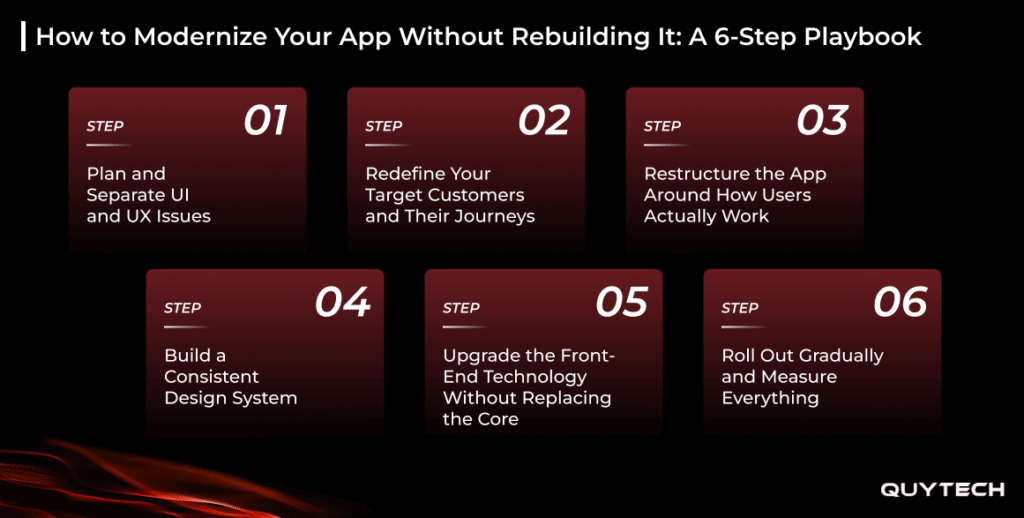
For an app redesign without rebuilding, all you have to do is change what the users experience, without changing the foundation that already exists and performs as needed. Here are 6 steps on how to modernize an old app that will guide you through the process:
Step 1: Plan and Separate UI and UX Issues
The first step is to plan, which begins by identifying what exactly is not working and why. For this, review analytics, user feedback, support tickets, and session recordings to figure out the areas where users struggle and end up dropping the tasks they were working on. Based on your findings, segregate the UI and UX issues to help form a proper plan. This distinction also helps you prioritize the changes with the biggest impact.
One example of this approach is Slack. Their team set aside its earlier assumptions about the product and focused on the needs of users throughout the design process, which helped them surface problems like sprawling menus before a single screen was redesigned.
Step 2: Redefine Your Target Customers and Their Journeys
The next step is to redefine your target customers as well as their journeys. As applications start scaling, the journey they defined for the customer base they catered to earlier often feels confusing for the new users. So in this step, you will be creating clear user roles, their goals, behaviors, and mapping the journey for each profile. Redesigning journeys around each user profile makes their experience feel tailored, which is something users value a lot.
A great example of this is Uber. Their team recognized that older adults had quite different needs from their typical riders and launched senior accounts and Simple mode in the year 2025. The team built the feature with input from accessibility experts and older adults themselves. It shows how Uber didn’t ask their users to adapt to their app but adapted its app to their needs.
Step 3: Restructure the App Around How Users Actually Work
Once you’ve defined the target customer and their journeys, it’s time to act by restructuring the app. This step includes reorganizing navigation and redesigning the interface. It sometimes also includes splitting one overloaded app into multiple focused apps for different user groups and business functions.
One such exemplary restructuring was done by Amazon Prime Video in 2024. Their team redesigned the app based on user feedback revolving around wanting a more intuitive streaming experience. The redesign brought in a new navigation bar that sorted content into Home, Movies, TV Shows, Sports, and Live TV.
Step 4: Build a Consistent Design System
The next step is to build a consistent design system. Since the design of your app is what defines your app’s visual language, ensuring consistency across typography, colors, spacing, icons, buttons, and forms becomes non-negotiable. As the touchpoint with users, consistency across the design system makes every screen look and behave the same way, which naturally speeds up future development; with ready-made components, teams don’t need to start from scratch.
Atlassian is the perfect real-life example of building consistency in a design system. It announced a clear, modern, and consistent design direction. As a result, users can now move between products like Jira and Confluence with a consistent, familiar experience.
Step 5: Upgrade the Front-End Technology Without Replacing the Core
The next thing to do after building consistency in the design system is to upgrade the front-end technology. A common misconception here is that replacing the tech stack means rebuilding, but that’s only the case if the technology stack that’s getting renewed is the core architecture; the front-end technology can be upgraded without replacing the core. This not only helps in improving performance and maintainability but also makes it easier to add AI-powered features in the future.
Step 6: Roll Out Gradually and Measure Everything
Releasing every change at once can confuse loyal users and make it hard to see what’s working. A gradual rollout works best as it allows A/B testing, letting your team compare the new experience with the old one. It gives an idea of how the UI/UX refresh implemented is being perceived by the users. Tracking metrics such as task completion, engagement retention, new signups, and support ticket volume helps in refining areas that need improvement.
Netflix implemented this approach with its TV homepage redesign. Their team tested the new design first with a small group of subscribers using smart TVs, and only after this did they announce the update on a global scale.
You Might Also Like: AI Agent vs Super Agent: A Comprehensive Guide
Taking It Further: Adding AI to Your Refreshed App
Once your app has a modern and consistent foundation, AI naturally becomes the next step to make the user experience smarter. According to Applause’s 2026 State of Digital Quality report, 54.5% of organizations have already released AI features in their products, reflecting how the competitive edge is being defined. Here are some ways you can own the competitive advantage by adding AI to your refreshed app:
Personalized Experiences That Adapt to Each User
Implementing AI in your applications can help you personalize the experience for each user based on their behavior, preferences, and history. It can recommend content, products, and services on personalized dashboards, tailoring experiences and making users feel seen.
Smart Search That Understands What Users Mean
Unlike traditional keyword-based search, AI can understand what users mean by going beyond keywords. It understands the intent and context based on what the user types. AI-powered smart search reduces frustration, helping users access features and content faster.
In-App Assistants That Answer Questions Instantly
Adding In-app assistants is yet another step to take it further. It guides users through tasks, answering queries that earlier would’ve needed support teams to handle. For example, Ford launched an AI assistant in its existing Ford and Lincoln apps, offering instant, personalized answers to its users.
Predictive Insights from Real User Behavior
When it comes to predicting what your users expect next, AI is the answer. Implementing AI in your app post a UI/UX refresh helps you predict what your users are likely to do next, whether they are at risk of leaving or what features they’ll need based on their interactions with the app. This helps you act early and make informed product decisions.
People Also Like: MCP vs. API: Why AI Agents Need a Different Kind of Connection to Your Systems
What are the Benefits of a Successful UI/UX Refresh
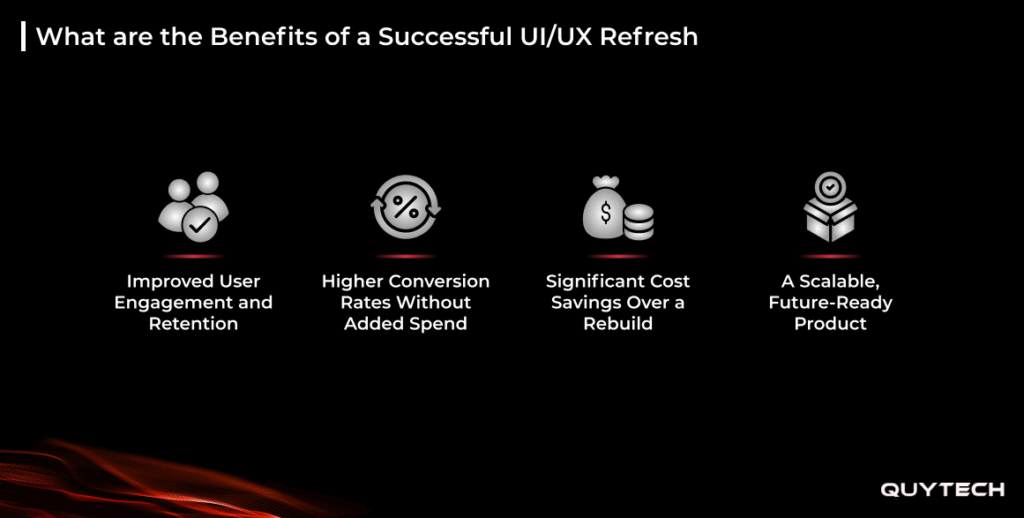
The benefits of a successful UI/UX refresh are higher conversion rates, enhanced user engagement and retention, cost-effectiveness, and a scalable, future-ready product. Let’s explore these benefits in detail:
Improved User Engagement and Retention
When an app becomes easier and more enjoyable to use, the chances of users leaving the app reduce. A smoother user journey boosts retention and engagement automatically, bringing users back more often.
Higher Conversion Rates Without Added Spend
Refreshing UI/UX removes friction and fixes areas that stop users from taking actions like signing up or making a purchase. This naturally boosts conversion rates without needing additional marketing efforts.
Significant Cost Savings Over a Rebuild
A very obvious benefit that a successful UI/UX refresh brings is cost-effectiveness. Since a UI/UX refresh does not require building an app from scratch, it costs way less than a rebuild.
A Scalable, Future-Ready Product
With a consistent design system and a modern front-end in place, your app becomes easier to scale in the future. UI/UX refresh makes adding new features and serving a diverse and wider customer base easy.
Common Pitfalls to Avoid When Refreshing Your UI/UX
A UI/UX refresh can transform your product when it’s done with the right approach. But that doesn’t mean that it brings no challenges along the way. Here are some common pitfalls to avoid when refreshing your UI/UX:
Designing for Trends Instead of Users
While the latest designs are tempting, blindly following them often draws team efforts towards trends instead of the end consumers of the product. As a result, the final product is often something that looks good but doesn’t function well or resonate with what users expect.
Changing Everything at Once
A sudden all-over change to the UI/UX is often not perceived positively by loyal users, as they might find a complete makeover confusing. It also makes it hard to figure out which changes are working and which aren’t.
Adding AI Just Because Everyone Else Is
Now this is a mistake that no one wants to make. AI is a technology that is capable of adding actual value to products. However, if you add it just for the cause and the sake of going with the flow, it often results in being a decorative feature rather than actually adding value.
Ignoring What Your Users Are Telling You
Since your app is built to cater to a certain customer base, taking insights from them can never go wrong. Hence, ignoring user research, their feedback, or failing to test changes with them is a big no-go when it comes to refreshing the UI/UX of your app.

How Quytech Can Help You Modernize Your App Without Rebuilding It
Quytech helps you modernize your app without rebuilding it by handling every stage, be it UI/UX audit and designing the user journey or building scalable design systems and frontend modernization. As a leading AI app development company with over 16 years of experience, we bring not just the capabilities but also a rich history of helping startups, growing businesses, and enterprises modernize their apps.
Our team of dedicated developers works across the full refresh process, right from understanding who your users are to restructuring navigation, design systems, and modernizing the frontend. Apart from modernizing, we also add real value to your app by integrating intelligent AI features.
With hands-on experience in artificial intelligence, we help you do more than keep up with competitors. We help you own the competitive edge.
Conclusion: Your App Doesn’t Need a Rebuild. It Needs a Refresh.
When an app that works just fine suddenly starts losing users, and you notice a decline in sign-ups, the first thing that comes to mind is to rebuild it. But that’s not the only way out of this. A well-planned app redesign without rebuilding is all that’s needed sometimes.
If you’re figuring out how to modernize an old app, a UI/UX refresh lets you update how users interact with it. It helps organizations understand their customers better, redesign their user journey, adapt to new users, and add smarter AI capabilities without having to build the application again from scratch.
Bringing in benefits like enhanced user engagement and retention, cost-effectiveness, higher conversion rates, and easy scalability and future readiness, a UI/UX refresh helps you deliver your product but better, at a faster pace, and at a fraction of the cost of a rebuild.
Frequently Asked Questions
The cost of an app redesign without rebuilding can be anywhere from $2000 to $ 8,000, while a rebuild includes additional charges. The cost is influenced by factors like the number of screens you want to redesign, their complexity, and features like AI.
A focused refresh can take 2-6 weeks, while a complete UI/UX overhaul depends on the changes made.
There isn’t a certain timeline or schedule for how often you should be redesigning an app. However, for an estimate, you can conduct major UI/UX refreshes every 2-3 years or whenever user needs and business goals shift, and smaller updates can be done regularly as seen fit.
No. An app redesign will not affect your users’ data, as a UI/UX refresh changes the interface, not your backend or database. Hence, user accounts, data, and history stay fully intact.
Yes. You do need to resubmit your app after a redesign. The refreshed version goes out as an update on the App Store and Google Play, so your existing listing, users, and reviews remain in place.
Yes! You can definitely start by redesigning just one part of your app. Many businesses start with high-impact areas like onboarding or checkout, and later roll out the rest of the changes in phases based on results.
